Your pipeline lints every pull request, the formatter ended the style arguments, and the type checker catches the mismatches. Then a review turns up a SQL query built from user input, or a cloud key that has been sitting in a config file for six months — and none of your tooling said a word. Meanwhile the volume of code arriving per week keeps climbing, much of it drafted by AI assistants, and "a human read every line closely" describes fewer and fewer teams.
That gap is exactly the territory of static application security testing — SAST. The one-sentence version: a linter checks what your code looks like; a SAST scanner checks where your data goes. Those are different questions, they require different machinery, and the second one is where most exploitable bugs live. This guide covers what security scanning adds on top of the tooling you already run, the three classes of finding it exists to produce, the things it will never catch, and the adoption order that keeps the first scan from burying the whole effort.
Where SAST sits in the static-analysis family
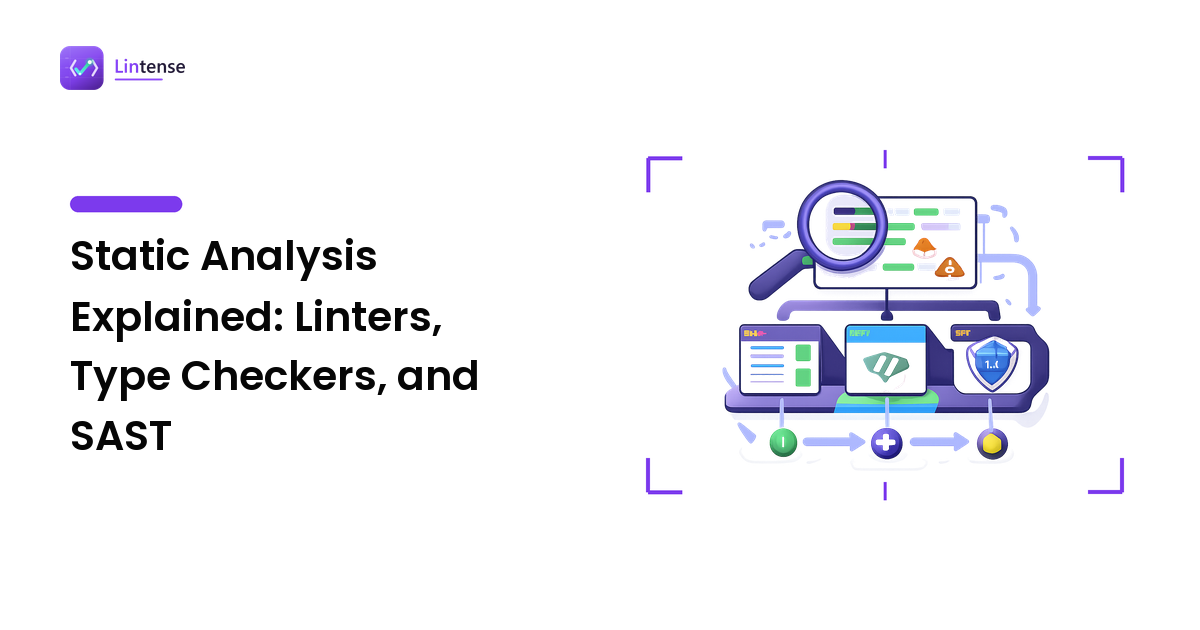
SAST is static analysis — it reads source without executing it, like every tool in the family. The static analysis guide maps the whole spectrum from formatters to formal verifiers; the short version relevant here is depth. A linter reasons mostly file by file, matching rule patterns against the syntax tree — which is why it's fast enough to run on every keystroke. A SAST scanner reasons about flows: it follows values from where they enter the program to where they get used, across functions and often across files.
That extra depth is not free. Scans take longer, findings need more context to judge, and the approximation involved produces more false positives than lint rules do. Which is why the right mental model is not "a linter with security rules" but a third layer of the toolchain, adopted with its own strategy.
The three things a scanner finds that a linter structurally cannot
1. Taint flows: user input reaching a dangerous sink
The classic exploitable bug has three parts: a source (data an attacker controls — a form field, a URL parameter, a header), a sink (an operation where that data becomes dangerous — a SQL query, a shell command, an HTML response, a file path), and a path between them with no sanitization. Injection, cross-site scripting, path traversal, and command execution are all this one shape wearing different clothes.
Finding that shape requires following the data, which is exactly what taint analysis does:
import sqlite3

def find_user(conn: sqlite3.Connection, username: str):
    # Flagged by taint analysis: the parameter reaches a SQL string
    query = f"SELECT id, email FROM users WHERE name = '{username}'"
    return conn.execute(query).fetchone()

def find_user_safe(conn: sqlite3.Connection, username: str):
    # Parameterized: the input is data, never SQL syntax
    return conn.execute(
        "SELECT id, email FROM users WHERE name = ?", (username,)
    ).fetchone()
Both functions are syntactically fine, idiomatically typed, and lint clean. Only flow analysis can tell them apart, because the difference is not in any single line — it's in the journey the value takes. And note what the safe version teaches: the fix for injection is almost never "escape harder", it's an API that keeps data and syntax separate.
2. Secrets committed to the codebase
API keys, database passwords, signing tokens, and private keys end up in repositories constantly — in config files, test fixtures, and "temporary" debug code that ships. A leaked credential needs no vulnerability to be exploited; it is the exploit. Scanners catch these with a combination of provider-specific patterns (many credential formats are recognizable by structure) and entropy checks that flag suspiciously random-looking strings.
This is the least glamorous category and the one with the best effort-to-payoff ratio: detection is cheap, false positives are manageable, and every true positive is serious. If you adopt only one slice of SAST this quarter, adopt this slice.
3. Known-dangerous patterns and calls
Between file-local lint rules and full taint analysis sits a band of findings that are pattern-shaped but security-specific: deserializing untrusted data with unsafe loaders, weak or outdated cryptographic primitives, disabled certificate verification, permissive file modes, debug modes left switched on. A sufficiently configured linter can catch some of these; security scanners ship them curated, mapped to vulnerability classes, and maintained by people tracking how these APIs get exploited.
What SAST will not catch — the blind spots the category undersells
An honest tour of the limits, because a team that expects too much from a scanner ends up trusting it in exactly the places it's blind:
- Vulnerable dependencies. Scanning your code says nothing about the known CVEs in the packages you import. That's software composition analysis (SCA) — a different technique with a different queue. Run both; triage them separately.
- Broken authorization and business logic. "Any logged-in user can fetch any other user's invoices by changing the ID" is a catastrophic bug and invisible to static analysis, because nothing in the code is syntactically wrong — the missing check is a fact about your requirements, not your syntax.
- Runtime and infrastructure configuration. What your reverse proxy strips, which ports are exposed, how your cloud roles are scoped — all outside the source tree the scanner reads.
- Anything requiring exactness. Static analysis approximates; it must, since it cannot know runtime values. That guarantees some fine code gets flagged and some real bugs slip through. The false-positive side of that trade has its own troubleshooting guide — read it before the first big scan rather than after, because most abandoned rollouts die of triage, not of detection quality.
None of this is a reason to skip SAST. It's the reason SAST is one layer of a security practice rather than the practice.
Adopting it without drowning: order matters more than tool choice
The standard failure mode is enabling everything on day one: the scanner returns hundreds of findings on years of accumulated code, nobody owns the list, and by the next sprint the job is muted. The sequence that survives:
- Start with secrets detection, everywhere. Highest signal, lowest noise, easiest to act on. Findings here are worth stopping the line for.
- Baseline the existing code, gate only what's new. Record the current findings as a baseline and fail builds only on findings introduced by the change under review. The backlog becomes scheduled debt instead of a wall blocking unrelated work.
- Turn on the injection-class taint rules next, scoped to high-confidence severities. These are the findings with real exploit consequences; give them the team's triage budget before enabling the long tail.
- Expand rule coverage deliberately, one category at a time, only while the signal-to-noise ratio stays survivable.
Where the scans run follows the same logic as the rest of your quality tooling, covered in depth in linting in CI: fast, file-local checks (secrets patterns, dangerous-call rules) fit editors and pre-commit hooks; whole-program taint analysis belongs in CI where its runtime doesn't tax every keystroke. Teams reviewing significant volumes of AI-assisted code have one more reason to gate in CI — a scanner is precisely the kind of reviewer that doesn't get tired on the fourth generated file, a point we expand on in linting AI-generated code.
Choosing a scanner: the criteria, not the verdicts
Tools in this space differ along a few axes worth checking against your stack — and mainstream examples illustrate the range. Semgrep uses pattern-based rules that read much like the code they match, which makes custom rules approachable. CodeQL treats code as a database to be queried, which trades a steeper learning curve for deeper semantic reach. Single-language tools like Bandit for Python stay narrow and simple. What to evaluate:
- Language and framework coverage — taint analysis is only as good as its knowledge of your framework's sources and sinks.
- Depth versus speed — deeper interprocedural analysis finds more and runs slower; decide what your CI budget buys.
- Suppression and baseline ergonomics — you will suppress findings weekly; a scanner where suppressions live in code, with reasons, ages far better than one where they live in a dashboard.
- Rule extensibility — whether your team can realistically write rules for its own dangerous internal APIs.
- License and deployment fit — open-source core versus commercial platform, and where the code is allowed to travel for scanning.
The blog's job ends at the criteria; the scored comparisons live on the main site. Before any of it, make sure the foundation layers are in place — the wider toolchain sequence is in choosing code quality tools.
FAQ
What does SAST actually stand for, and is it different from "static analysis"? Static application security testing. It's the security-focused member of the static-analysis family: the same read-the-source approach as linters and type checkers, specialized in tracing how attacker-controllable data moves through a program.
If my linter has security rules, do I still need a SAST tool? Linter security plugins catch the pattern-shaped issues — dangerous calls, risky defaults — and they're worth enabling. What they can't do is follow data across function and file boundaries, and that flow analysis is where injection-class bugs are found. The two overlap at the shallow end only.
Does SAST replace dependency scanning or penetration testing? No on both. Dependency scanning (SCA) covers known vulnerabilities in code you import; SAST covers flaws in code you write; testing by humans covers logic, authorization, and everything requiring an understanding of intent. They stack — none substitutes for another.
Is SAST worth it for a small team? The secrets-detection slice is worth it for any team of any size, immediately. Full taint analysis earns its keep as soon as your code handles other people's data or money — which is to say, for most products, earlier than the team expects.
Why do SAST tools report so many false positives? Because they approximate runtime behavior without running the code, and for security findings they deliberately err toward flagging. The rate is manageable with baselining, severity scoping, and in-code suppressions — the specifics are in our troubleshooting guide.
A green lint run tells you the code is tidy. It takes flow analysis to tell you whether the code is safe to point at the internet. When you're ready to pick the layer that answers that second question, see how the top SAST scanners stack up on Lintense.